Google Ads Costs: What Online Shops Should Realistically Budget in 2026
Christian Beeking
Co-Founder, Cloudginny
August 14, 202610 min read
What Google Ads costs is the first question every shop owner asks and the one answered worst. Agencies like to quote high, forums tell horror stories about burned budgets, and Google essentially says “it depends”. Fair enough, but that helps nobody who has to plan an advertising budget right now. So here are the numbers you can actually work with, including click prices from real client accounts, a budget you can derive instead of guess, and the maths on when the whole thing pays off.
What does Google Ads really cost? The short answer for online shops
In e-commerce, Google Ads typically costs €0.27 to €0.57 per click for Shopping and Performance Max ads, with a median of €0.42 across our client accounts. Text ads on search are more expensive and usually land between €0.50 and €1.50. As a starting budget, plan for €500 to €1,500 per month so automated bidding gets enough data to learn from.
One thing to get straight first: Google charges nothing for running your ads. No setup fee, no minimum budget, no contract term. You only pay when someone clicks. The real cost question is therefore less “what does Google Ads cost” and more “what does an order cost me, and what is left afterwards”. This article works through both.
How Google Ads is billed: CPC, PPC and daily budget explained
Google Ads runs on the PPC principle, pay per click. The price per click (CPC) is not set by Google, it comes out of an auction: for every search query all matching ads compete, and placement is bid times quality. A relevant ad with a matching landing page pays less for the same position than a weak one. Your costs are therefore not a fixed market price, you can actively push them down through relevance and account structure.
All of it is steered by the daily budget per campaign. Google may spend up to twice that on strong days, but it balances out over the month: you are never charged more than your daily budget times 30.4. So if the account says €50 per day, you top out at roughly €1,520 a month, no matter how wild individual days look.
Then there is the bidding strategy. In e-commerce, bidding is almost always handed to Google’s Smart Bidding with a ROAS target these days, and that leads straight to the single biggest cost factor: the algorithm needs conversion data. Too little budget means too little data, and too little data means volatile, often poor results. Which brings us to the budget question.
Realistic click prices (CPC) in e-commerce by category
Let us start with real numbers. These are the click prices from our client accounts:
Metric
Value
Median CPC
€0.42
Middle 50% of accounts
€0.27 to €0.57
Full range
€0.12 to €1.73
Data base: several dozen e-commerce client accounts in the DACH region, Standard Shopping and Performance Max campaigns, 08/2025 to 07/2026, 1.8 million clicks in total.
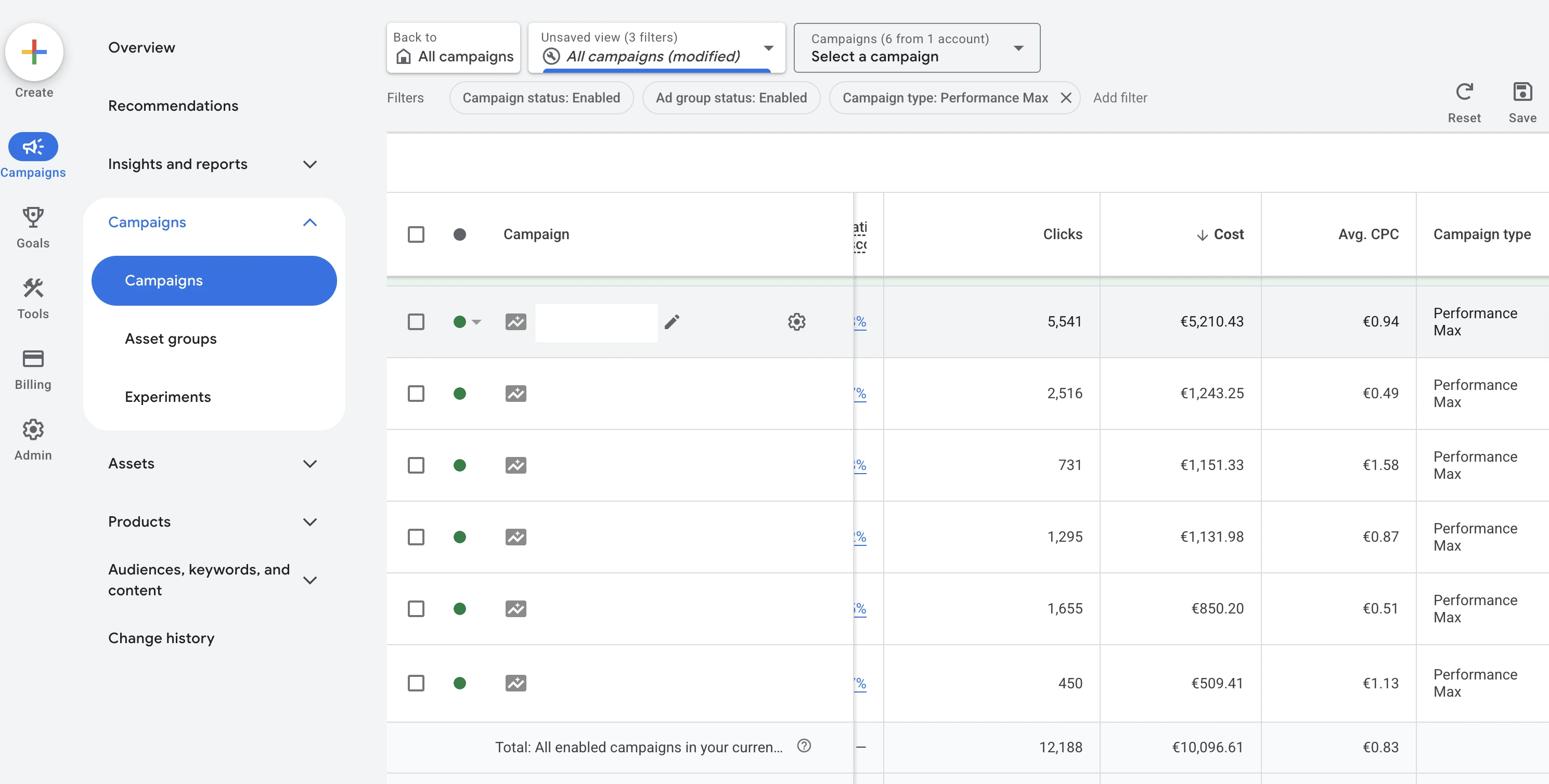
Clicks, cost and average CPC sit right next to each other in Google Ads. In this account click prices range from €0.49 to €1.58 per campaign, an example of how much CPC varies inside a single account.
For context, here are typical ranges by category as we see them in the market. Unlike the table above, these are experience values rather than measurements:
Category
Shopping/PMax
Search ads
Beauty and personal care
€0.25 to €0.60
€0.50 to €1.20
Fashion and apparel
€0.30 to €0.70
€0.40 to €1.00
Home and living
€0.40 to €0.90
€0.60 to €1.40
Electronics and accessories
€0.40 to €1.00
€0.60 to €1.60
Tools, spare parts, B2B niches
€0.60 to €1.50
€0.80 to €2.50
Two patterns run through all of it: Shopping clicks are almost always cheaper than search clicks, because the user has already seen the image and the price before clicking. And the narrower the niche and the higher the basket, the more expensive the click, because expensive clicks still pay off there. For online shops, Shopping is therefore usually the dominating cost block, and how the format works in detail is covered in our Google Shopping guide.
What monthly budget should an online shop plan for?
The rule of thumb of €500 to €1,500 to start is not a number pulled out of thin air, it can be derived. Smart Bidding runs stably from around 30 to 50 conversions per month. At a conversion rate of 1.9% (the median across our client accounts) that takes 1,600 to 2,600 clicks, and at €0.42 per click you end up at €670 to €1,100 a month. Starting well below that can still generate revenue, but you have to live with a long learning phase and volatile results.
What that budget delivers at average values is shown across three tiers:
Monthly budget
Clicks
Orders
Revenue
€500
~1,190
~23
~€1,490
€1,500
~3,570
~68
~€4,480
€5,000
~11,900
~226
~€14,930
Calculated with the medians from our client accounts: €0.42 CPC, 1.9% conversion rate, €66 basket. The table is linear, in reality the curve flattens towards the top because additional budget eventually buys more expensive and weaker clicks.
For a sense of what shops actually spend: half of our client accounts invest between roughly €260 and €1,800 per month, with a median of a good €700. So it also works a size smaller than agency guides like to claim.
From budget to profit: break-even, ROAS and margin instead of raw click costs
The click price alone says nothing about whether Google Ads works out for you. The metric for that is ROAS, revenue divided by ad spend. A ROAS of 3 means every euro of ad spend brings in €3 of revenue. Whether that is good is decided by your gross margin, because the goods still have to be paid for out of that revenue. Break-even ROAS is 1 divided by your margin:
Gross margin
Break-even ROAS
20%
5.0
25%
4.0
30%
3.3
40%
2.5
50%
2.0
Anything above your break-even is profit from the channel, anything below it is paid growth without a return. The calculation gets sharper when you use contribution margin after shipping and payment costs instead of gross margin, which puts the threshold a little higher.
Worked example
A worked example with our medians: one order costs €22 in ad spend (€0.42 CPC divided by a 1.9% conversion rate). At a €66 basket and a 35% margin, €23.10 in contribution margin is left. So a good €1 per order sticks, before any fixed costs. This calculation shows fairly brutally why optimising conversion rate and click prices decides between profit and loss: a few cents on the CPC or half a percentage point on the conversion rate tip the result one way or the other.
For context: the median ROAS across our client accounts is 3.8, with the middle half between 1.7 and 7.8. Depending on margin, the weakest accounts are advertising below break-even, and that is almost always where the biggest optimisation potential sits.
Break-even calculator
What is left for you per order?
Pick your two numbers. The calculator walks you through what is left per order once the ad cost is paid.
Average gross margin
Average basket
Basket times gross margin€30 × 20%
That is what an order leaves you, before ads€6.00
Basket times gross margin€50 × 20%
That is what an order leaves you, before ads€10.00
Basket times gross margin€70 × 20%
That is what an order leaves you, before ads€14.00
Basket times gross margin€100 × 20%
That is what an order leaves you, before ads€20.00
Basket times gross margin€150 × 20%
That is what an order leaves you, before ads€30.00
Basket times gross margin€30 × 25%
That is what an order leaves you, before ads€7.50
Basket times gross margin€50 × 25%
That is what an order leaves you, before ads€12.50
Basket times gross margin€70 × 25%
That is what an order leaves you, before ads€17.50
Basket times gross margin€100 × 25%
That is what an order leaves you, before ads€25.00
Basket times gross margin€150 × 25%
That is what an order leaves you, before ads€37.50
Basket times gross margin€30 × 30%
That is what an order leaves you, before ads€9.00
Basket times gross margin€50 × 30%
That is what an order leaves you, before ads€15.00
Basket times gross margin€70 × 30%
That is what an order leaves you, before ads€21.00
Basket times gross margin€100 × 30%
That is what an order leaves you, before ads€30.00
Basket times gross margin€150 × 30%
That is what an order leaves you, before ads€45.00
Basket times gross margin€30 × 35%
That is what an order leaves you, before ads€10.50
Basket times gross margin€50 × 35%
That is what an order leaves you, before ads€17.50
Basket times gross margin€70 × 35%
That is what an order leaves you, before ads€24.50
Basket times gross margin€100 × 35%
That is what an order leaves you, before ads€35.00
Basket times gross margin€150 × 35%
That is what an order leaves you, before ads€52.50
Basket times gross margin€30 × 40%
That is what an order leaves you, before ads€12.00
Basket times gross margin€50 × 40%
That is what an order leaves you, before ads€20.00
Basket times gross margin€70 × 40%
That is what an order leaves you, before ads€28.00
Basket times gross margin€100 × 40%
That is what an order leaves you, before ads€40.00
Basket times gross margin€150 × 40%
That is what an order leaves you, before ads€60.00
Basket times gross margin€30 × 50%
That is what an order leaves you, before ads€15.00
Basket times gross margin€50 × 50%
That is what an order leaves you, before ads€25.00
Basket times gross margin€70 × 50%
That is what an order leaves you, before ads€35.00
Basket times gross margin€100 × 50%
That is what an order leaves you, before ads€50.00
Basket times gross margin€150 × 50%
That is what an order leaves you, before ads€75.00
What an order via Google Ads costs youAt a 1.9% conversion rate roughly every 53rd visitor buys. Times €0.42 per click, that is about €22 of ad cost per order.−€22.00
What actually stays with you−€16.00Does not pay off
Put differently: your ROAS has to stay above 5.0 or you are paying in.
What actually stays with you−€12.00Does not pay off
Put differently: your ROAS has to stay above 5.0 or you are paying in.
What actually stays with you−€8.00Does not pay off
Put differently: your ROAS has to stay above 5.0 or you are paying in.
What actually stays with you−€2.00Does not pay off
Put differently: your ROAS has to stay above 5.0 or you are paying in.
What actually stays with you€8.00Pays off
Put differently: your ROAS has to stay above 5.0 or you are paying in.
What actually stays with you−€14.50Does not pay off
Put differently: your ROAS has to stay above 4.0 or you are paying in.
What actually stays with you−€9.50Does not pay off
Put differently: your ROAS has to stay above 4.0 or you are paying in.
What actually stays with you−€4.50Does not pay off
Put differently: your ROAS has to stay above 4.0 or you are paying in.
What actually stays with you€3.00Very tight
Put differently: your ROAS has to stay above 4.0 or you are paying in.
What actually stays with you€15.50Pays off
Put differently: your ROAS has to stay above 4.0 or you are paying in.
What actually stays with you−€13.00Does not pay off
Put differently: your ROAS has to stay above 3.3 or you are paying in.
What actually stays with you−€7.00Does not pay off
Put differently: your ROAS has to stay above 3.3 or you are paying in.
What actually stays with you−€1.00Does not pay off
Put differently: your ROAS has to stay above 3.3 or you are paying in.
What actually stays with you€8.00Pays off
Put differently: your ROAS has to stay above 3.3 or you are paying in.
What actually stays with you€23.00Pays off
Put differently: your ROAS has to stay above 3.3 or you are paying in.
What actually stays with you−€11.50Does not pay off
Put differently: your ROAS has to stay above 2.9 or you are paying in.
What actually stays with you−€4.50Does not pay off
Put differently: your ROAS has to stay above 2.9 or you are paying in.
What actually stays with you€2.50Very tight
Put differently: your ROAS has to stay above 2.9 or you are paying in.
What actually stays with you€13.00Pays off
Put differently: your ROAS has to stay above 2.9 or you are paying in.
What actually stays with you€30.50Pays off
Put differently: your ROAS has to stay above 2.9 or you are paying in.
What actually stays with you−€10.00Does not pay off
Put differently: your ROAS has to stay above 2.5 or you are paying in.
What actually stays with you−€2.00Does not pay off
Put differently: your ROAS has to stay above 2.5 or you are paying in.
What actually stays with you€6.00Pays off
Put differently: your ROAS has to stay above 2.5 or you are paying in.
What actually stays with you€18.00Pays off
Put differently: your ROAS has to stay above 2.5 or you are paying in.
What actually stays with you€38.00Pays off
Put differently: your ROAS has to stay above 2.5 or you are paying in.
What actually stays with you−€7.00Does not pay off
Put differently: your ROAS has to stay above 2.0 or you are paying in.
What actually stays with you€3.00Very tight
Put differently: your ROAS has to stay above 2.0 or you are paying in.
What actually stays with you€13.00Pays off
Put differently: your ROAS has to stay above 2.0 or you are paying in.
What actually stays with you€28.00Pays off
Put differently: your ROAS has to stay above 2.0 or you are paying in.
What actually stays with you€53.00Pays off
Put differently: your ROAS has to stay above 2.0 or you are paying in.
A €0.42 click price and a 1.9% conversion rate are the medians across our client accounts. If your numbers are better, an order costs you less and more stays with you. If you have already deducted shipping and payment costs, use your contribution margin instead of gross margin.
Hidden cost drivers: why beginners burn budget
Click prices are rarely the problem. Google Ads gets expensive through settings and omissions that quietly drain money in the background:
Display Network and search partners are often switched on by default in new campaigns and mostly deliver cheap clicks without purchase intent for online shops
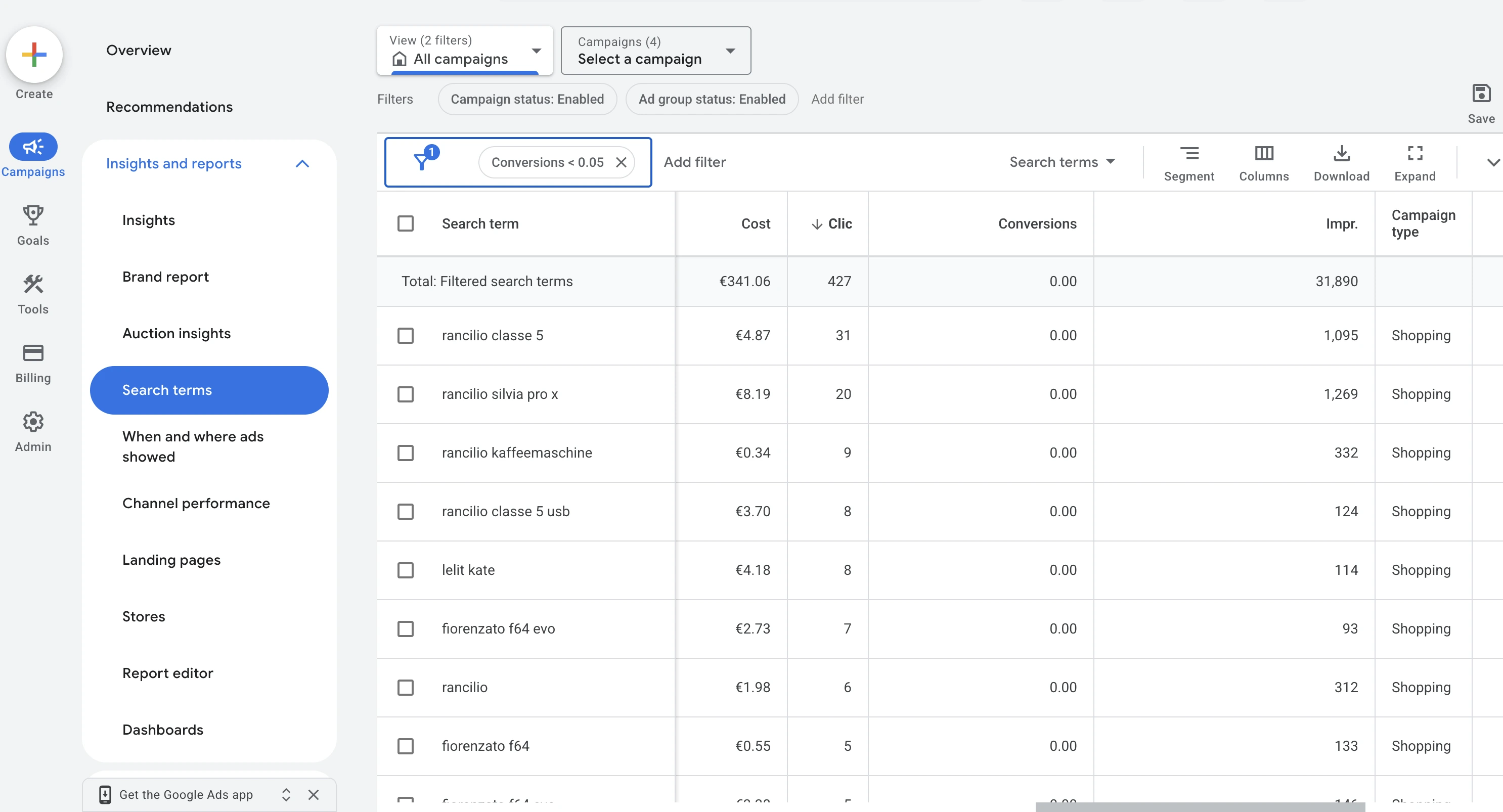
Broad match keywords without regular search term maintenance flush irrelevant queries into the account. Around 10% of budget in our client accounts goes to search terms that never produced a conversion despite double-digit click counts, and those are accounts already under continuous optimisation. In unmanaged accounts the share is correspondingly higher
Missing or broken conversion tracking leaves Smart Bidding optimising blind, and the budget then flows into clicks instead of purchases
All products in one campaign with a single shared ROAS target: bestsellers subsidise slow movers, and nobody notices
Pulling the plug after two weeks, right in the middle of the learning phase, just before results stabilise
Wasted spend measured in Search and Standard Shopping campaigns across our client accounts over twelve months, evaluating the share of cost Google reports at search term level.
Filtered to search terms without a single conversion: 427 clicks and €341.06 in four weeks, with the top term alone at 31 clicks.
The common denominator: Google optimises for what you set up and measure, not a millimetre further. The most expensive default settings and the most common mistakes are covered in detail in our setup guides for Shopify and JTL.
Agency, in-house or automation? The three cost paths compared
On top of the ad spend comes the question of who runs the account. Three paths, three cost profiles:
Path
Typical cost
Fits if
In-house
€0 external, but several hours a week
you have the time and want to learn the channel
Agency
€300 to €1,000 per month or 10% to 20% of ad spend
you want to keep control but hand off the routine work
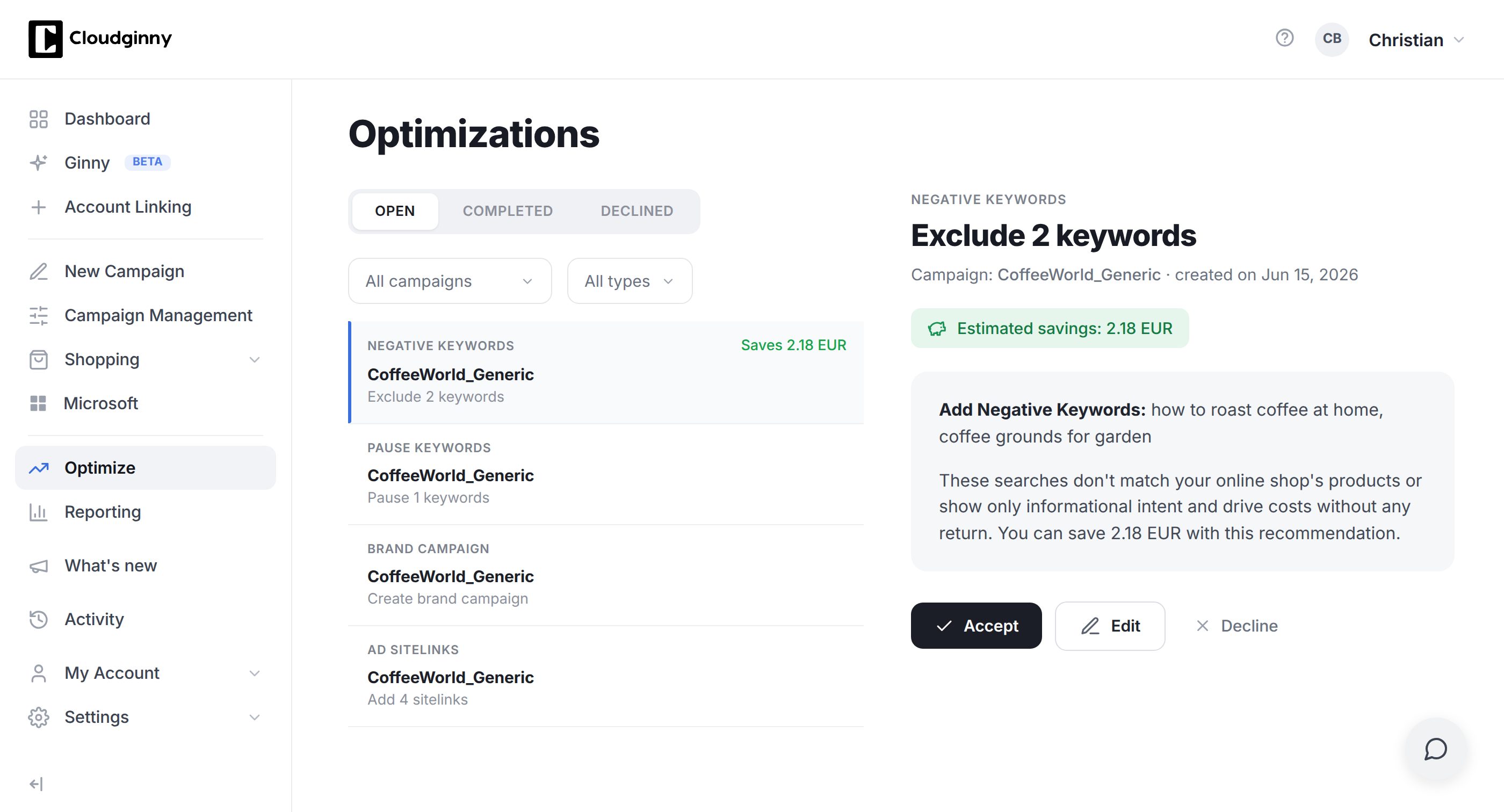
The maths behind it: at €1,000 of ad spend, a €500 retainer eats half your budget before the first click is paid for, which is why agencies only pay off from larger budgets. Doing it yourself costs no money, but the hours per week are real and missing elsewhere. AI tools like Cloudginny take over the daily analysis and suggest optimisations with a concrete euro impact, and nothing is applied until you approve it.
Every recommendation comes with its euro impact, and it is only applied once you approve it.
Common questions about Google Ads costs (FAQ)
What does a click cost on Google Ads in e-commerce?
In our client accounts the median is €0.42 for Shopping and Performance Max clicks, with half of all accounts paying between €0.27 and €0.57. Text ads on search usually cost €0.50 to €1.50, and more in competitive niches.
How much does Google Ads cost per month for an online shop?
To start we recommend €500 to €1,500 so automated bidding collects enough conversion data. The ceiling is your profitable scaling point: as long as ROAS stays above your break-even, the budget may grow.
Is there a minimum budget or any fixed costs?
No. Google requires neither a setup fee nor a minimum budget nor a contract term. You only pay for clicks and can pause campaigns at any time.
Why does Google spend more than my daily budget on some days?
Google may exceed the daily budget by up to double on strong days in order to capture demand peaks. It is balanced out over the month: you are never billed more than your daily budget times 30.4.
Google Ads or SEO: what costs what?
Google Ads costs money continuously and delivers traffic from day one. SEO costs mainly time and content, takes months to work, and then keeps going without ongoing click costs. For online shops the sensible order is usually: build revenue and data immediately with ads, and develop SEO in parallel as the long-term channel. It is not an either-or.
What does a Google Ads agency cost?
In the SME segment, €300 to €1,000 per month is common, alternatively 10% to 20% of ad spend, often plus a one-off setup fee. A minimum term is almost always part of the deal.
When is Google Ads not worth it?
When the contribution margin per order is below the realistic ad cost per order. Example: at a €20 basket and a 25% margin, €5 per order is left, while an order via Google Ads usually costs €15 to €30 in e-commerce. In that case, raise the basket or the margin first, otherwise every additional order becomes a loss.
Christian Beeking is co‑founder of Cloudginny, the AI agent for automating Google Ads in e‑commerce. Before Cloudginny, the team managed more than 100 million euros in Google Ads budget for brands such as MediaMarkt, Cisco and Bose, and has now poured that knowledge into Ginny. Cloudginny is an official Google Partner, a WebStollen partner and part of the German Accelerator.
Search for "Google Ads audit" and what you mostly get is offers: agencies that will examine your account for free, and a contract at the end. That does not answer the question underneath: what is actually being checked, how much of it can I do myself, and what does the rest cost? This article walks through the nine areas of an audit, says for each one where the money typically leaks, and attaches a checklist you can tick off.
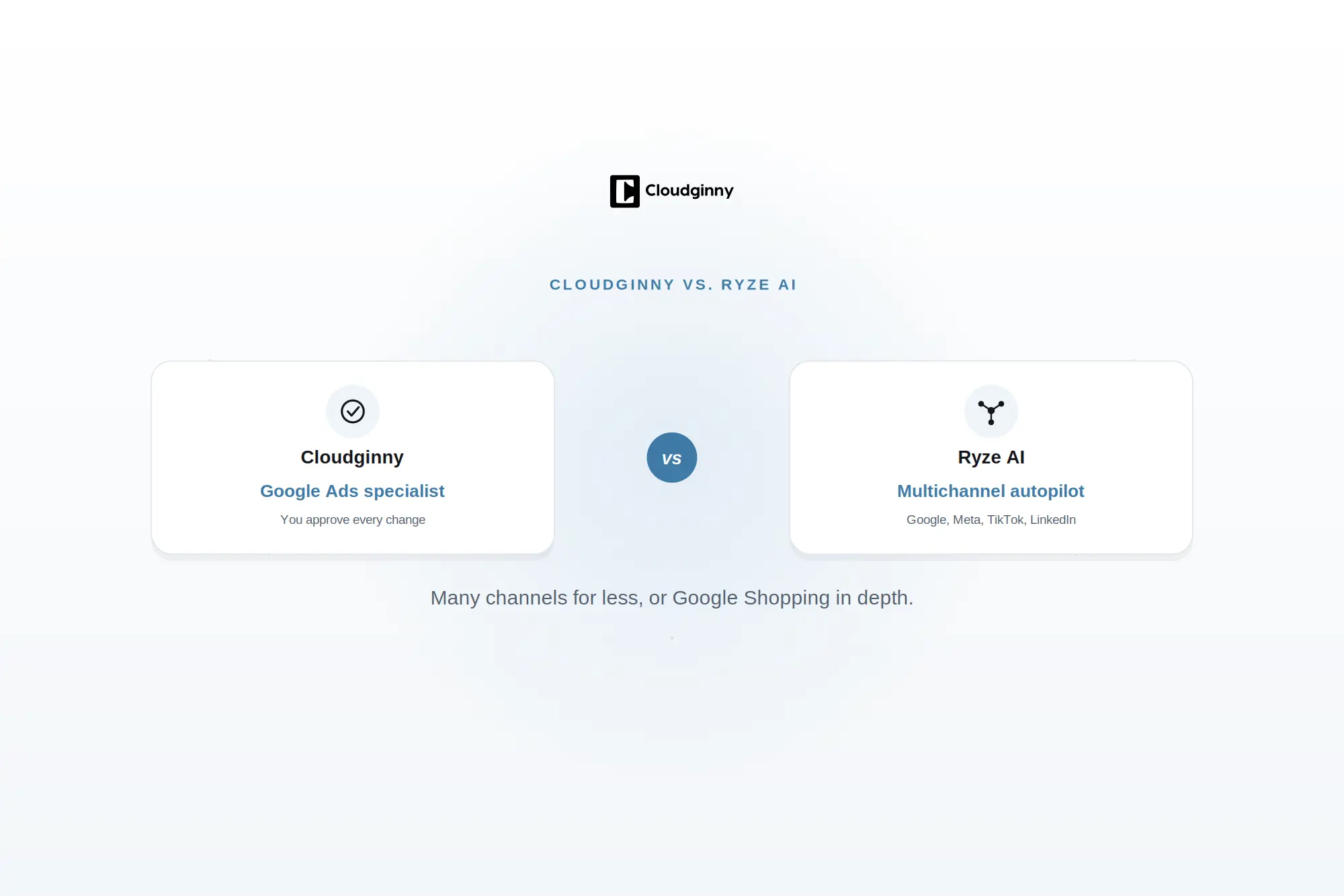
Ryze AI is the cheaper multichannel autopilot: $89 flat for Google, Meta, TikTok and LinkedIn. Cloudginny is a Google Ads specialist with a German company behind it, Merchant Center depth and an approval model. This comparison puts prices, channels and control side by side, and says plainly where Ryze wins.
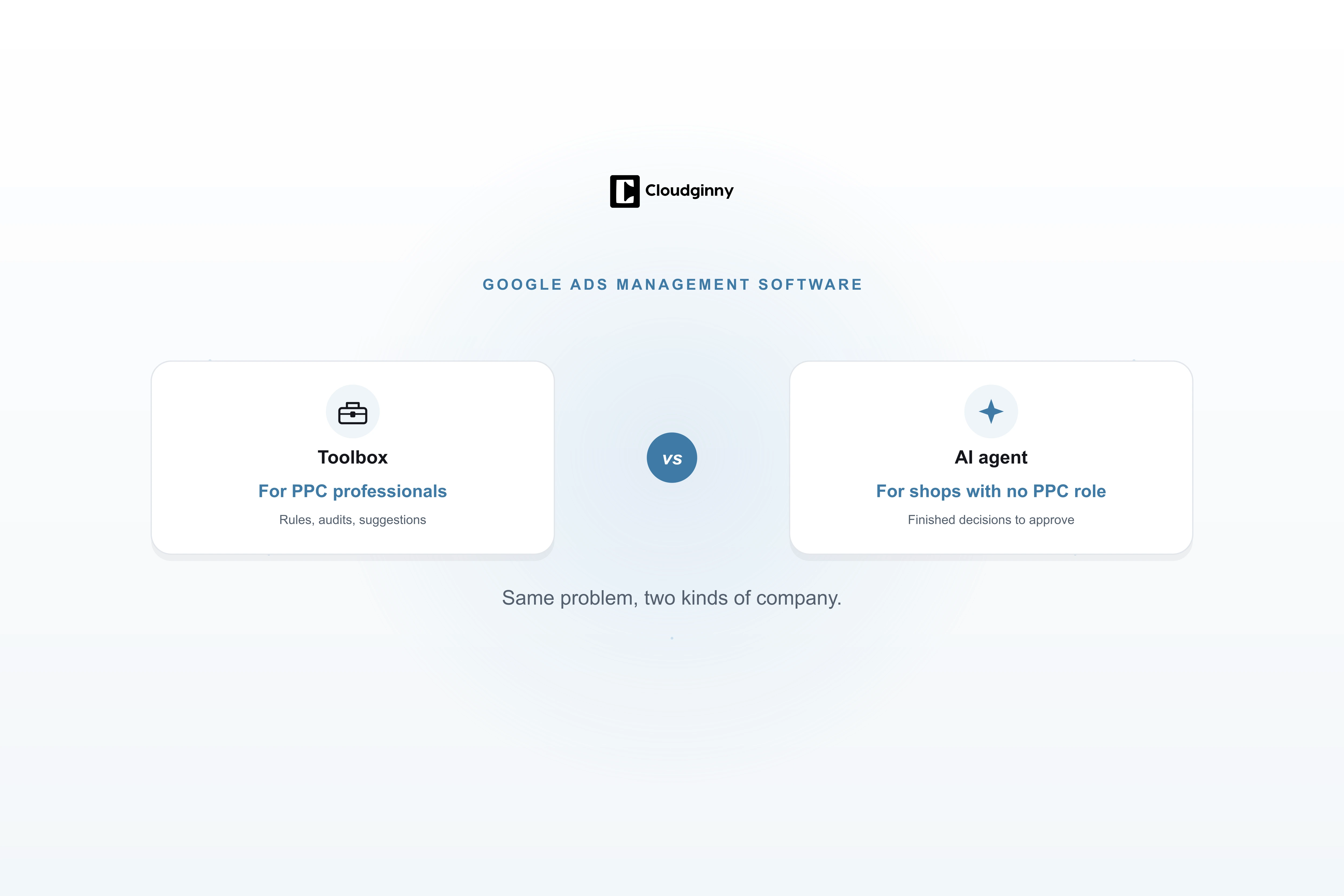
Search for Google Ads management software and you land on Optmyzr, Adalysis or Opteo. They are good tools, just built for somebody who already knows Google Ads: a marketer who writes rules and knows what to do with forty improvement suggestions. Most online shops do not have that person. This article explains what the classic platforms actually do, what an AI agent does differently, which model fits when, and what neither of them can do.