
Create Performance Max campaigns that advertise only your products, without video ads or banners that scatter your budget. Set it up yourself in a few steps, or let Ginny, your AI agent in Cloudginny, help. Nothing goes live without your approval.
Sure. I’ll build a Performance Max campaign based on your product data:
Want me to set it up like this? It only goes live after your approval. Reply Yes or No.
Ginny can make mistakes. Nothing is carried out until you approve.



Performance Max is the fully automated campaign type from Google Ads. From one setup, Google runs your ads across Search, Shopping, YouTube, Display, Gmail, Discover and Maps and optimizes with AI toward your goal, usually more revenue.
That makes getting started easy, but takes away almost all visibility into where your money goes.

Acacia Garden Chair, Set of 2

Parasol 300 cm, Anthracite

Balcony Set, 3‑piece, Wood

Raised Bed Metal, 120 cm
This is how your products can appear in Google Shopping.
Ginny sets the campaign up, you see every step and approve at the end.
Google has caught up. You can now see which channel brings in how much, and you see the real search terms for your campaign. That’s good, but it only solves half the problem.
Because the data only helps if you know what to do with it and have the time to do it week after week. Left to itself, Performance Max keeps doing the easiest thing: it runs broadly across every channel, grabs your brand traffic and ends up showing pretty totals that hide where the real value comes from.
Cloudginny builds Performance Max deliberately lean. The campaign advertises only your products from the shop, without video ads, banners or extra ad copy. That way it runs in Google’s Shopping tab, instead of scattering broadly across Search, YouTube and Display.
That keeps your budget on your products and on real buying intent. This path is made specifically for online shops with product data. If you advertise services without products, a classic search campaign is the better fit.
You decide how the campaign is created. With the guided wizard you click through in a few steps, without getting lost in the Google Ads account: you pick the products, the budget and the goal, and Cloudginny sets up the rest cleanly. Or you tell Ginny in the chat what you want to advertise, and she builds the campaign for you.
Both ways build the same lean structure, and in both cases you see the full preview first. The campaign only goes live once you approve it.
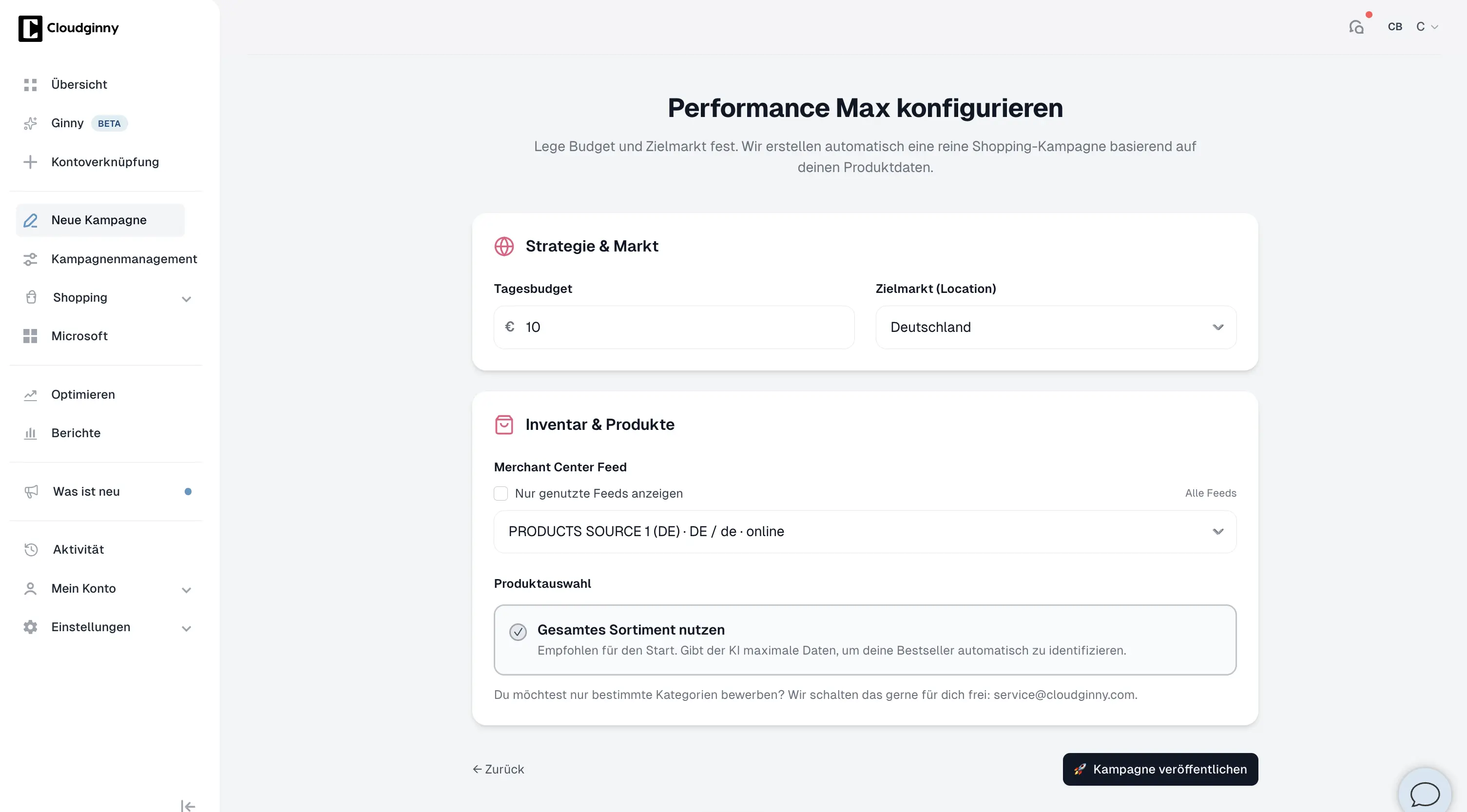
The guided wizard: pick products, budget and goal, done.
You set the daily budget yourself. If you don’t set one, the campaign starts at €15 per day, the minimum is €5. How it bids depends on the budget: up to €15 a day the campaign optimizes for as many conversions as possible, so Google first gathers enough signals. Above that it optimizes for the highest possible revenue. You only set a target ROAS if you explicitly define one.
Setting up a campaign is just the start. Cloudginny watches it continuously and suggests adjustments to optimize your campaign:
Every suggestion comes with a reason. It’s only carried out once you agree.
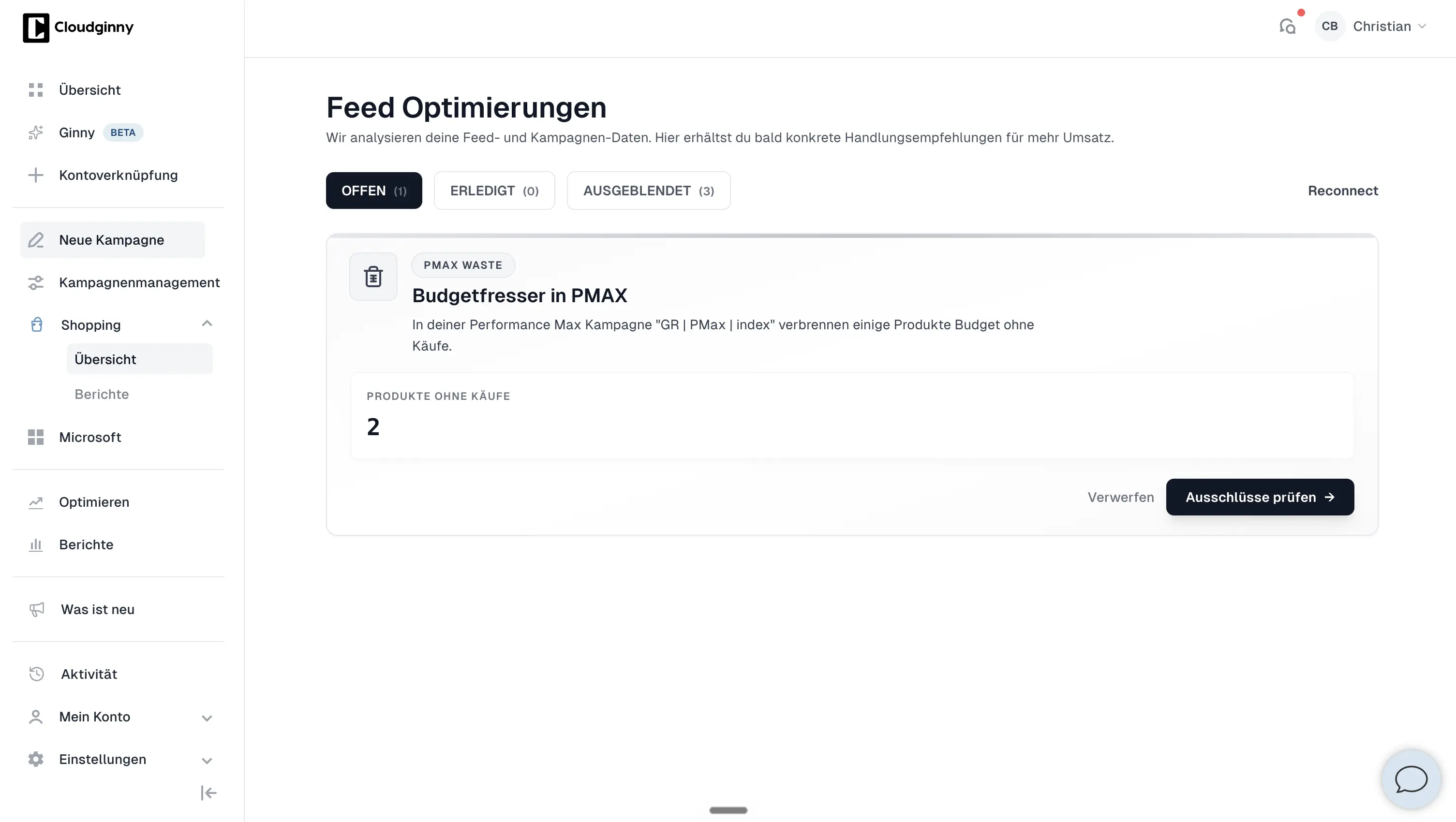
Suggestions during ongoing operation, each one to approve.
For this to work, you need a connected Google Ads account and a connected Google Merchant Center with your product data. If any of that is missing, Cloudginny tells you beforehand instead of starting the campaign half finished.
Cloudginny automates the work, not the decision. You always see first what’s supposed to happen.
„We had to build professional Google Ads campaigns. Without an in‑house SEA manager, without an agency, without a freelancer.“
Florian Heuberger, Director Growth Marketing & E‑Commerce EU · Aventon E‑Bikes
Try Cloudginny for free, or book a free audit. We look at your account and your product data and show you what a lean, product‑focused campaign would do for you, with real numbers.
AI agent for Google Ads in e-commerce
© 2026 Cloudginny. All rights reserved.
