
Ginny, your Google Ads agent, builds campaigns for your high-margin products only. The free plugin sends your purchase prices to Cloudginny, which turns them into margin classes for Google Shopping. Nothing goes live until you approve it.
Free plugin · JTL-Shop 5.3 to 5.8 · Built by WebStollen
Your margin classes can be selected in Google Ads. Here’s how I’d set up the campaign:
Shall I create it like this? Just answer Yes or No.
Done.
Campaign liveGinny can make mistakes. Nothing is carried out until you approve.

On its own, Google Ads only knows your selling prices, not how much you keep. So a product with a 50% margin competes for the same budget as one with 10%. Some products lose you money with every click, and you don’t notice until the end of the month.
Example, all prices net.
Run your high-margin products in their own campaign, with their own budget.
Products with a negative margin and products without a purchase price each get their own group. Filter by it in Merchant Center, and Ginny shows you what those products cost you in Google Ads.
Ginny breaks down cost, conversion value and ROAS by class.
When prices or purchase prices change, we recalculate that night. A product only switches class once its margin moves at least 2 points past the boundary. Time-limited sale prices don’t change it. That keeps your campaigns steady.
Install the free plugin from the JTL Extension Store and enter your Cloudginny key. From then on, it sends your products automatically. You’ll find the key in Cloudginny under Settings → API & Integrations once you’ve signed up.
A workflow in JTL-Wawi writes your purchase prices into function attributes. You only set it up once.
We calculate the margin of every product we can find in your Merchant Center and write its class into an unused custom label. Your feed file stays exactly as it is. With two JTL shops in testing, we matched 96% and 98.5% of the products in their Merchant Center to an item in the shop.
Tell Ginny which margin classes you want to advertise, as a Shopping or Performance Max campaign. She shows you the campaign first. It only goes live once you approve it.
Margin = (selling price − purchase price) ÷ selling price, both net
Fewer than 500 products found: three classes
500 products or more: five classes
Ginny first checks whether your margin classes can already be selected in Google Ads. Then she shows you the campaign, and you say “Yes, please.” Only then does it go live.
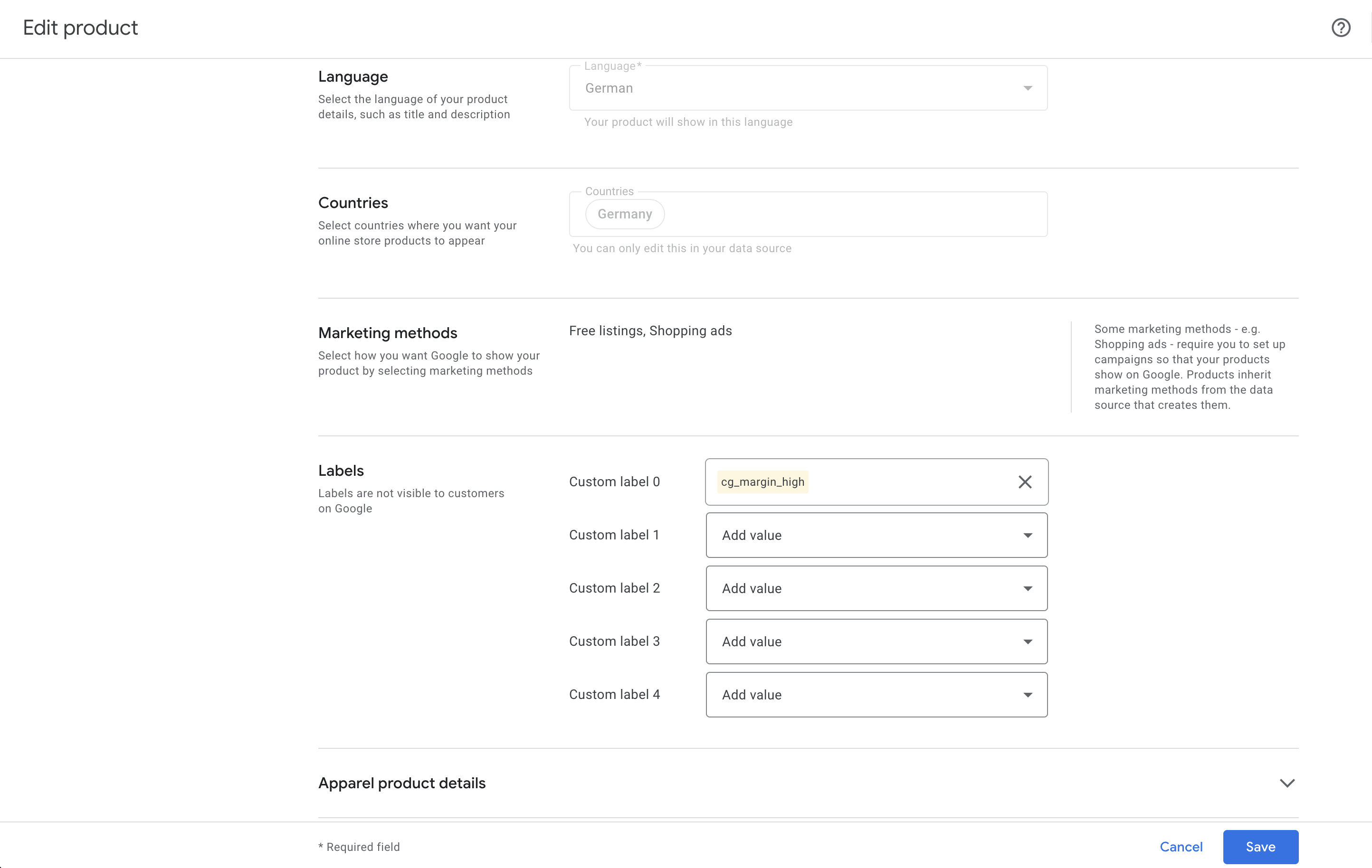
The only thing we write to your Merchant Center is each product’s margin class, for example cg_high_margin (40% margin or more). Google never sees your purchase price. Don’t want to share a product’s purchase price? Just leave the field empty. The product then goes into the “no purchase price” group.
Verified reviews on OMR Reviews, shortened here and translated from German.
“Getting up to speed took no time at all. I am finally free of that dependency on the agency. … Every morning the software tells me in plain words which three things are due. Tick them off and I am done. … The view is nice and lean.”
“In the past I worked with all kinds of agencies and freelancers, and honestly, none of them really got it right. With Cloudginny I no longer need any of those service providers. I run my Google Ads entirely myself now.”
“Before we used it we had very few clicks and hardly any purchases. Yet after only a few days with the AI tool we could see clear improvements. … The dashboard is clear, very easy to operate and delivers fresh, optimized keyword suggestions every day.”
The plugin is free. For Cloudginny you need an account, which you can try free for 7 days. After that, the price depends on your ad spend: the Starter plan is $149 per month (net). Ginny is included in every plan.
JTL-Shop 5.3 to 5.8, JTL-Wawi with your purchase prices, a Google Merchant Center and a Google Ads account. You connect Merchant Center and Google Ads in Cloudginny. The product IDs in your Merchant Center match your article numbers, or your products have unique GTINs.
Through two function attributes in JTL-Wawi: one for the latest and one for the average purchase price, both net. A workflow in JTL-Wawi fills them automatically. Each variant needs its own purchase price.
No. Your feed file and your product data stay as they are. We add a separate data source called “Cloudginny Margenklassen” to your Merchant Center and add it to your primary data source’s rule. It only fills one unused custom label.
An unused one. We never overwrite a custom label that’s already in use, because your campaigns may depend on it. If all five are taken, we let you know.
Margin = (selling price − purchase price) ÷ selling price, both net. If we find fewer than 500 of your products in Merchant Center at the first run, you get three classes: 40% and above, 20% to under 40%, and under 20%. From 500, there are five finer ones: 50% and above, 35% to under 50%, 25% to under 35%, 15% to under 25%, and under 15%. The scheme then stays fixed so your campaigns stay stable. Products with a negative margin and products without a purchase price each get their own group.
Yes. You calculate the margins yourself and write them into a custom label with a feed rule or a supplemental data source. But then you have to update the values whenever a price changes, build the campaigns per label and analyze the results per label yourself. Cloudginny recalculates every night and keeps the classes stable. Ginny builds the campaigns per class as soon as you approve and shows you the results per class.
If more than half of your products have no purchase price, we hold off and let you know. We check again every morning and continue as soon as the prices are there.
The first run starts automatically once all your products have been sent. For large catalogs, it takes a few hours. A progress bar in Cloudginny shows how far along we are. Once everything is in place, we let you know in Cloudginny and by email. After that, your margin classes can usually be selected in Google Ads within a few hours, and within two days at the latest. We’ll let you know then, too.
No. Ginny shows you every change first. Nothing goes live until you approve it.
Right now we work with one primary data source per Merchant Center. If you have several, please talk to us first.
Seven days after your subscription ends, we remove our margin classes from your Merchant Center and delete your catalog data on our side. We email you the date beforehand. After that, campaigns split by margin class no longer get any products. If you come back before then, everything stays as it is.
JTL, JTL-Shop and JTL-Wawi are trademarks of JTL-Software-GmbH.
Install the plugin, enter your key, add your purchase prices. Cloudginny and Ginny handle the rest. You decide what goes live.
Partner
Resources
company