Google Ads AI agent: comparing AI campaign management, from Google's Ask Advisor to specialized tools
Christian Beeking
Co-Founder, Cloudginny
July 14, 20267 min read
In 2026, pretty much every shop owner is asking the same question: is the AI agent Google now builds straight into your account enough, or do you need something specialized? Google Ads automation has been around for years, from automated rules to Smart Bidding, but Google is now pushing hard into a new tier: AI-run campaign management, with Ask Advisor inside the account and the switch from Dynamic Search Ads to AI Max. At the same time, a growing market of specialized tools is going after exactly the gaps where the native agents run out of road. This article sorts the field and shows what actually matters when you choose.
What is a Google Ads AI agent? Definition and how it differs
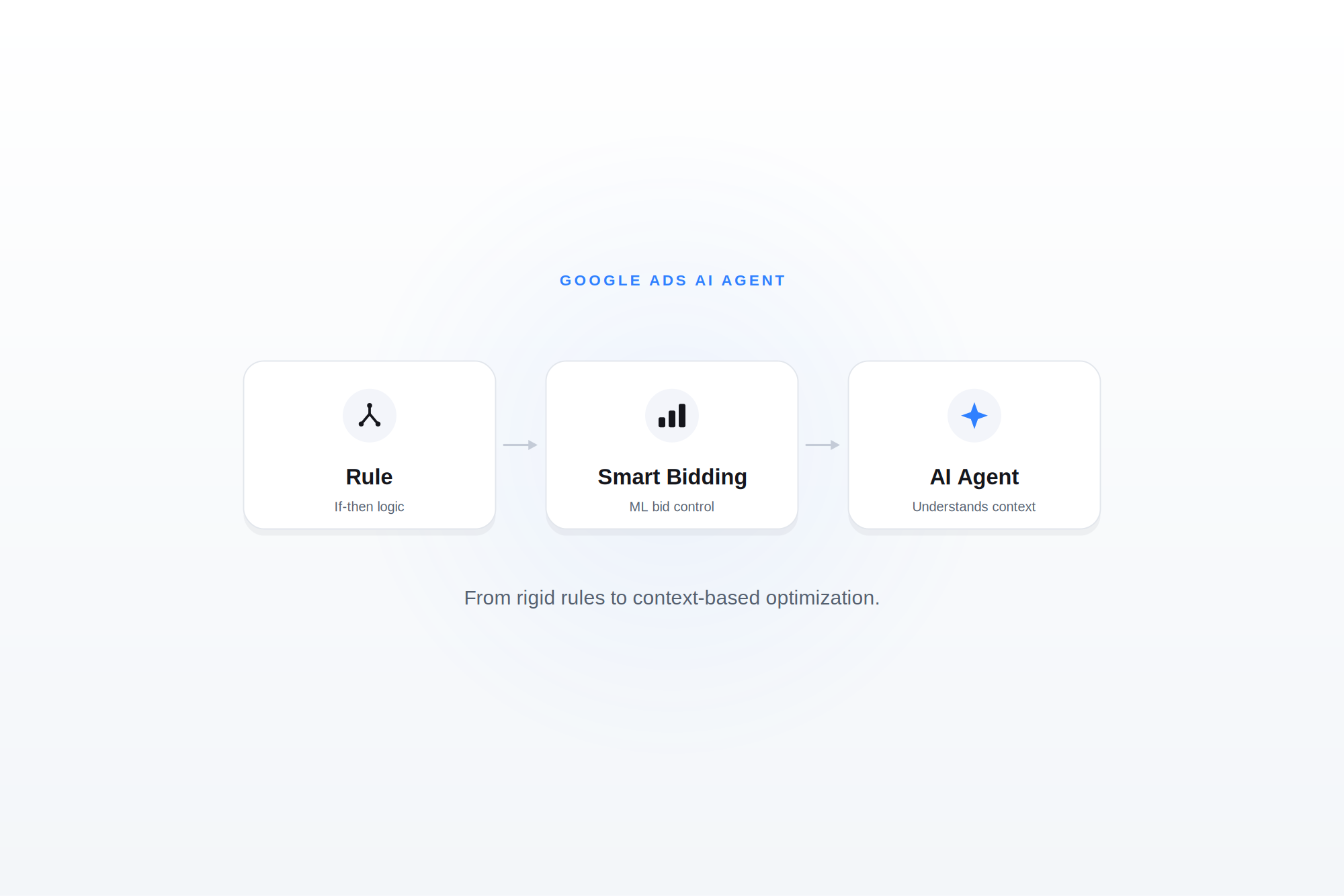
The core difference first: an automated rule executes fixed conditions, while an AI agent understands context, explains its decisions, and learns from performance data.
You probably already know automated rules and Smart Bidding, the classic side of Google Ads automation. A rule is an if-then instruction: if ROAS drops below a set value, pause the campaign. Useful, but blunt. The rule has no idea why ROAS fell, it just does what you told it. Smart Bidding goes a step further and optimizes bids with machine learning toward a conversion goal, but it stays a black box that explains nothing and only ever touches the bids.
An agent works differently. It pulls in the context of the account, spots patterns, proposes concrete moves, and can carry them out semi-autonomously. Instead of one lever, it covers a whole optimization workflow, from analysis to proposal to execution. And at its best it tells you why it recommends something, so you can make a call instead of trusting an automation blind.
Automated rule
Smart Bidding
AI agent
How it works
If-then condition
ML bid optimization
Context-based analysis and action
Decision
fixed, predefined
statistical, toward one conversion goal
reasoned and goal-oriented
Scope
a single lever
bids
the full optimization workflow
Transparency
complete, you wrote the rule
black box
explains its proposals
Learning
no
yes, within the bidding logic
yes, from the performance context
Which AI agents does Google offer itself?
Across 2025 and 2026, Google rebuilt its entire ads ecosystem around agents. For shop owners, two things matter most: Ask Advisor, the assistant that sits inside your account, and AI Max, which replaces the old Dynamic Search Ads. Let's take both in turn.
What can Ask Advisor do in Google Ads?
Ask Advisor sits right inside the Google Ads account, but it's still in beta and not available in manager accounts.
Ask Advisor is Google's agentic assistant right inside the ads account. It remembers your business goals and past actions, connects data points across Google Ads, Merchant Center, and Analytics, and answers questions like "What can I do to improve my conversions?" in plain conversation. At Google Marketing Live 2026 it was introduced as a unified agent that folds the previously separate Ads Advisor, Analytics Advisor, and Merchant Advisor into one, built on Gemini. You'll still run into the older names too, Ads Advisor or Google Ads Advisor.
So much for the theory. Here's the catch, and for a lot of shops and agencies it's a real one: according to Google, Ask Advisor currently runs only in English-language accounts and explicitly not in manager accounts (MCC). The details straight from Google: Ask Advisor in Google Ads (beta).
The MCC point is the sore spot for anyone managing more than one account. If you run your accounts through a manager account, as an agency or a merchant with several shops, you simply can't reach Ask Advisor. Exactly where it would help most, optimizing across many accounts, the native agent isn't available. For multi-account setups that rules it out as a core tool for now. On top of that it's in beta, and Google itself flags that there may be limitations.
What is AI Max, and what does the DSA migration mean?
AI Max is Google's AI-driven evolution of the classic search campaigns, and it takes the place of Dynamic Search Ads. Instead of only generating headlines and landing pages from your website content, AI Max pulls in broader real-time signals to find additional searches. The key thing for your planning: from September, campaigns using Dynamic Search Ads, automatically created assets, and campaign-level broad match are migrated to AI Max automatically, and you can't create new DSA campaigns after that. So the switch isn't an option, it's a date on the calendar. Straight from Google: We're upgrading Dynamic Search Ads to AI Max.
Google promises roughly 7% more conversions or conversion value at a comparable CPA or ROAS when you use the full feature set. The price is more automation, and with it potentially less direct control: AI Max has more say in which searches match, which ad text runs, and which landing page people are sent to. Google does build in extra controls, like brand and location controls and text guidelines, but the direction is clear: you're handing responsibility to the system.
Practical advice: don't wait for the automatic switch in September. Migrate on your own terms now and you can set things up in a controlled way and get familiar with the new controls, instead of facing a done deal in the autumn.
Ask Advisor: how useful is Google's native agent, really?
On paper the feature set looks strong, and Google's own Ask Advisor overview makes the case well. It's a clear signal of where things are heading, and for a straightforward single English account it's genuinely handy. Three limits still bite, though.
First, coverage. It's English-only and in beta, so if you run accounts in other languages or other markets, those are out for now, and beta means rough edges. Second, the MCC gap we just covered: the moment you work across accounts, the most useful scenario disappears. Third, and this is the one that tends to get missed, the built-in conflict of interest. An agent supplied by the ad platform itself also optimizes toward the platform's revenue. More reach, broader matching, higher budgets, from Google's point of view those are rarely the wrong call. Whether they're the right call for your margin is a different question entirely.
Does an AI agent replace your own thinking?
No. And honestly, that's the most important point in this whole article: whatever technology you use, Google's AI, its native agent, or a specialized tool like Cloudginny, the strategic decisions stay with you.
A good agent executes brilliantly. It improves how your budget is spread, pulls more revenue out of the spend you already have, and makes the account more efficient, around the clock, without tiring, without you checking in every night. That's the grunt work, and it can take it off your hands reliably.
What it can't take off your hands is the question of what's actually right for your business. Which product do you push even though the margin is thinner, because it wins you new customers? Which market is worth holding even though it isn't profitable yet? Where do you buy market share, and where do you take the profit? Those aren't optimization questions, they're business decisions. An agent can't make them for you, because it isn't the one running your company. You are.
Which is exactly why "can I trust an AI agent" is the wrong question. You don't have to trust it blind. You set the direction, the agent carries it out, and with a tool that has an approval step you see every change before it goes live. With Google's own agent there's an extra layer: it optimizes toward Google's revenue, so your strategic eye matters twice as much there. The sensible split is always the same, whichever tool you use. The agent handles the execution, you keep your head on the strategy.
When is Google's native agent enough, and when do you need a specialized tool?
This is the real question. Short version: native agents optimize within Google's logic and, broadly, toward Google's revenue, while specialized tools optimize across accounts toward your business goal. It sounds academic. In practice it's the whole thing.
What to look at when you decide which way fits you:
Budget size: on small to mid budgets, every bit of spend has to work twice as hard. A tool that optimizes for efficiency rather than platform growth earns its keep here.
Number of accounts: the moment you manage more than one, the native agent is out because of the MCC gap. Specialized tools are built for exactly this.
Margin over ROAS: ROAS treats all revenue the same. If your products carry different margins, you want to steer toward contribution margin, not top-line revenue. Native agents don't do that.
Reporting needs: do you need reasoning you can follow and reporting that goes beyond the Google interface, or is the native view enough?
Independence from the conflict of interest: a platform-independent tool has no stake in you spending more on Google. Its only stake is your campaigns working for you.
One more thing, because it often gets muddled: not every tool that markets itself as a "Google Ads AI agent" was actually built for it. Some are general enterprise AI platforms where Google Ads is one connector out of a hundred. A specialized tool that lives and breathes Google Ads and e-commerce knows the quirks of Shopping, feeds, and Performance Max far better than a generalist that dabbles in everything.
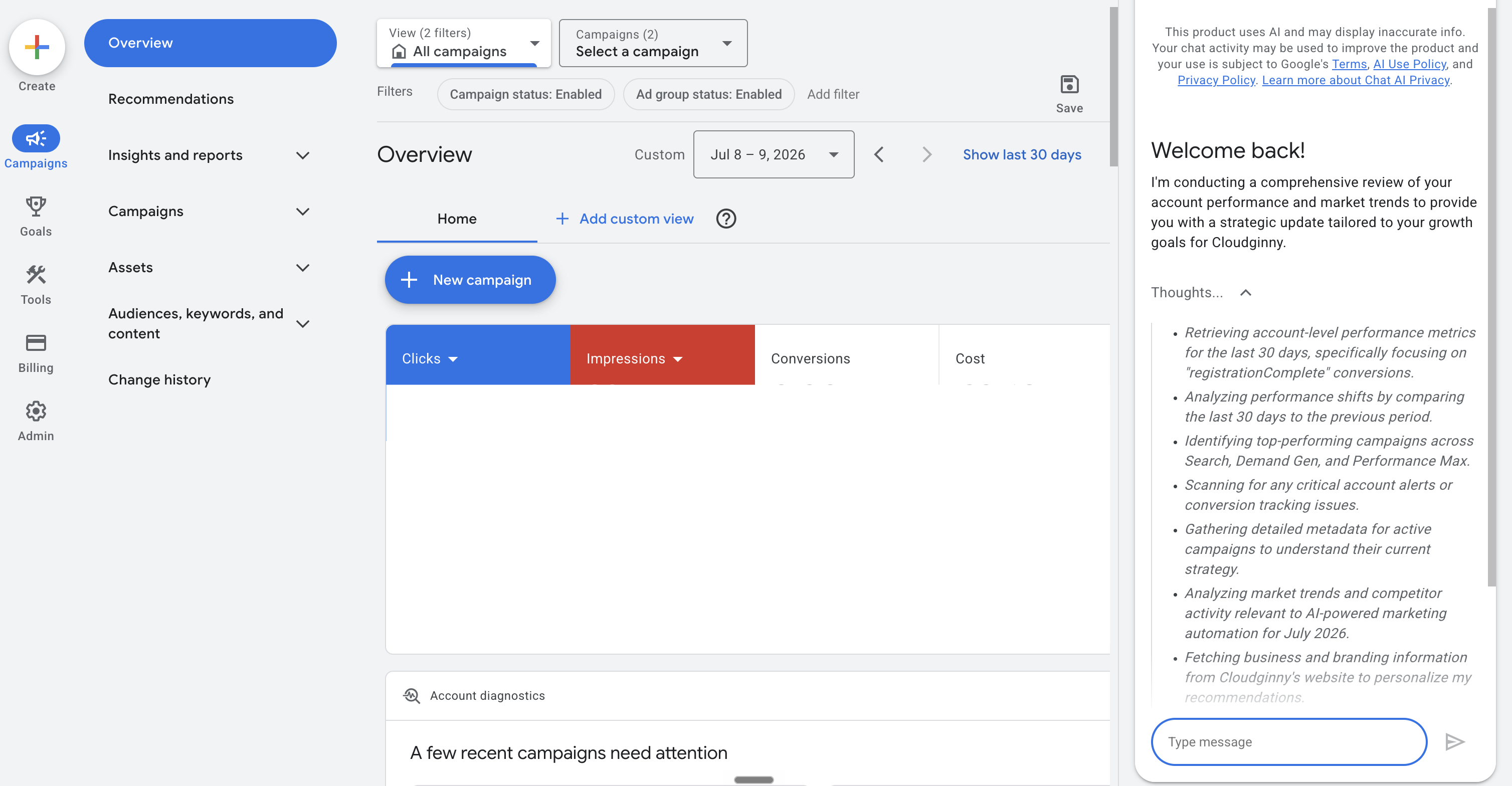
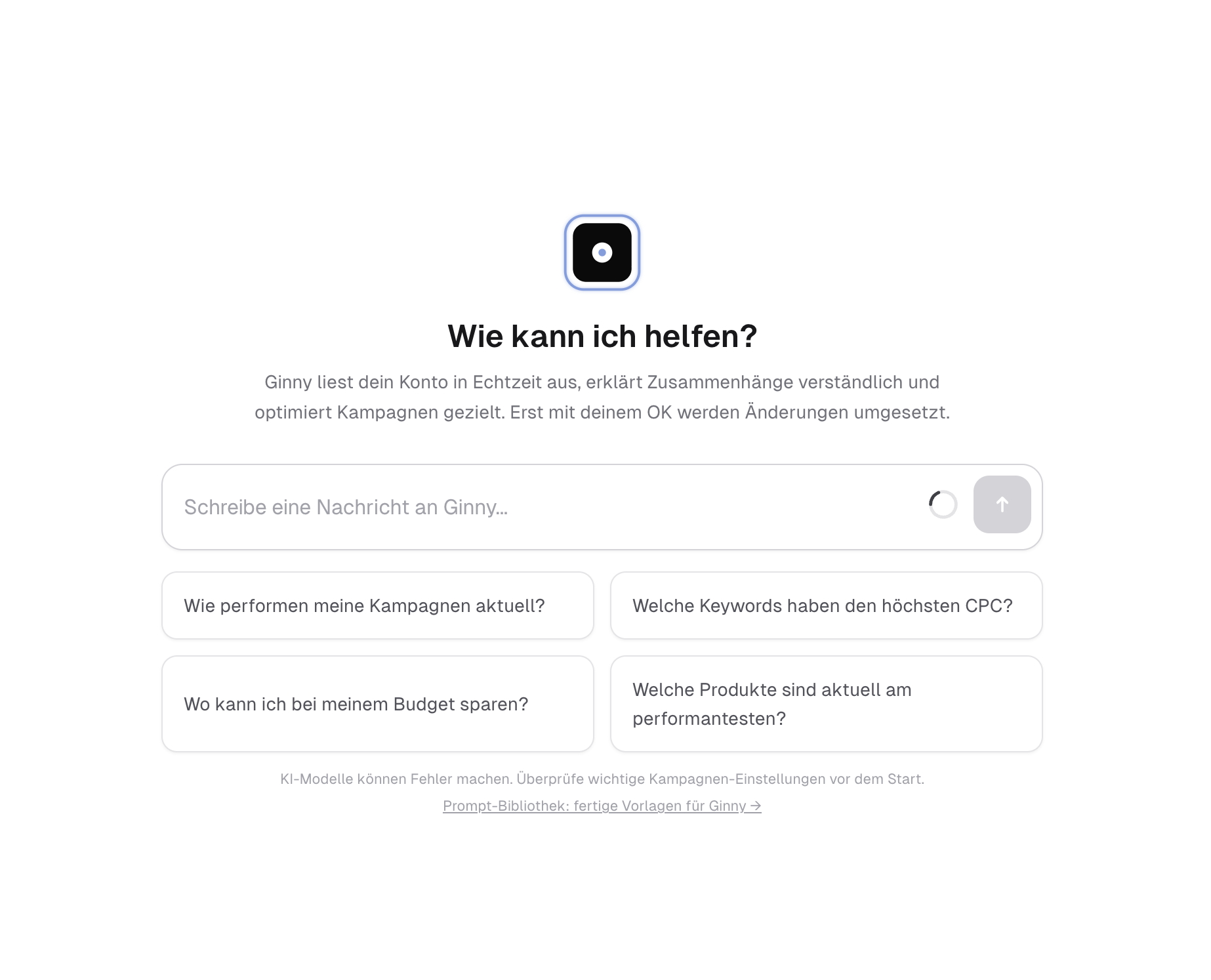
Ginny analyzes the account, proposes changes and explains them. Nothing gets implemented until you approve it.
This is exactly where Cloudginny comes in. Ginny, our AI agent, doesn't work inside a single ad platform, it works across Google Ads and Microsoft Advertising, and it optimizes toward your business goal rather than the platform's revenue. The key difference is the propose-approve-implement workflow: Ginny analyzes your account, proposes concrete changes and explains them, and you approve before anything goes live. That hands you back exactly the control AI Max tends to take away at matching, ad copy, and landing page.
And it shows up in the numbers. Across our customer accounts, median ROAS after optimization rose from 2.96 to 4.52, and 81.6% of the recommendations Ginny makes get accepted by the merchants. One pattern we see again and again: a big share of the growth doesn't come from campaigns that were already doing well getting a little better, it comes from the agent switching on products and campaigns that had little or no visibility before. That kind of cross-account digging for untapped potential is something a native agent tuned for revenue structurally doesn't look for.
What does an AI agent need to actually work well?
The honest answer: an AI agent is only ever as good as the conversion tracking and feed quality underneath it. The best agent in the world makes bad calls when the data underneath is shaky. Before you think about tools, it's worth looking at the foundation.
Clean server-side tracking: client-side tracking loses a real chunk of conversions to ad blockers, browser restrictions, and consent drop-off. Server-side tracking gives the agent a far more reliable signal base to optimize on in the first place.
Consent Mode and the EEA data situation: in the EU, the consent picture decides how many conversion signals actually reach Google. Without Consent Mode set up correctly, the agent is missing data, and missing data means worse decisions. In Europe this isn't a side issue, it's half the battle.
Merchant Center feed care: for Shopping and Performance Max, the product feed is the foundation. Missing attributes, weak titles, or patchy categories cap what an agent can even put in front of people. A well-kept feed is a requirement, not a nice-to-have.
Consistent naming conventions: sounds trivial, isn't. Clean, consistent naming of campaigns and ad groups helps the agent understand structure and give you recommendations you can follow.
This is where experience pays off, and where most general AI platforms tap out. Writing "clean conversion tracking" as a checkbox on a requirements list is easy. Actually getting it under GDPR and Consent Mode in the EU, so reliable signals reach Google, is the real work. This is where we at Cloudginny bring the analytics side that decides whether an agent is built on sand or on rock, from server-side tracking to consent configuration to feed quality in Merchant Center. Subscribing to a tool doesn't help if that foundation is crumbling.
Building your own AI agent: who is it worth it for?
Technically, building your own is very doable today. With Vertex AI and the Agent Development Kit you can build an agent, and you don't even have to write the connection to the Google Ads API yourself anymore: through the Model Context Protocol (MCP), Google now provides an official server. So the question isn't whether it works, it's whether it pays off. The server takes the data access off your plate, not the actual work.
Short and honest: building your own only pays off for very large accounts with their own dev team. For everyone in the mid-market, the make-or-buy call is clearly buy. Your own agent isn't a project that's done at launch. The Google Ads API changes, campaign types like AI Max arrive, tracking and consent requirements keep shifting, and the optimization logic needs continuous training and upkeep. That's a permanent staffing cost that only makes sense at an account size where a dedicated team is busy anyway. We know this first-hand, because Cloudginny itself runs on Vertex AI and Gemini, which is exactly why we know how much work the day-to-day running takes. For everyone below that, a specialized tool is faster to get going, cheaper, and usually better in the end, because the upkeep is already priced in.
FAQ: Google Ads AI agents
Is Ask Advisor available everywhere?
According to Google, Ask Advisor currently runs only in English-language accounts and is in beta. If you run accounts in other languages, it isn't a reliable option for day-to-day work yet.
Can I use Ask Advisor in my agency or manager account?
No. Google explicitly states that Ask Advisor isn't currently available in manager accounts (MCC). For agencies and multi-account setups, that rules the native agent out as a core tool.
Do I have to switch to AI Max?
Yes, in the medium term there's no way around it. From September, campaigns using Dynamic Search Ads, automatically created assets, and campaign-level broad match are migrated to AI Max automatically, and new DSA campaigns can't be created after that. It's worth pulling the switch forward on your own terms rather than letting it happen to you.
What's the difference between Smart Bidding and an AI agent?
Smart Bidding optimizes bids toward a conversion goal with machine learning, but it stays a black box and only touches one lever. An AI agent understands the context of the account, covers a whole optimization workflow, and explains its recommendations.
Does an AI agent replace my agency or my Google Ads manager?
Not entirely. An agent takes over the data-driven grunt work and the ongoing optimization, while strategy and business judgment stay human. Used well, an agent gives you or your agency more time for the decisions that actually count.
Can't I just connect Google Ads to a language model via MCP?
Sure, you can. Google Ads and a language model like Gemini, Claude, or ChatGPT can be connected through the Model Context Protocol (MCP), and since late 2025 there's even an official server from Google. The catch is that the official server only reads. It's good for analysis and reporting, but it doesn't touch bids, budgets, or ads. The unofficial servers can write too, but they come with no safety net, a general model with full access to your live account then moves real campaigns with no one checking first. For quick analysis that's handy. An agent that optimizes reliably and asks you before every change, it isn't.
What do I need for an AI agent to work for me?
Above all, a clean data foundation: server-side conversion tracking, a correctly configured Consent Mode, a well-kept Merchant Center feed, and consistent naming conventions. Get the foundation right and an agent can deliver, get it wrong and even the best agent optimizes on bad data.
Christian Beeking is co‑founder of Cloudginny, the AI agent for automating Google Ads in e‑commerce. Before Cloudginny, the team managed more than 100 million euros in Google Ads budget for brands such as MediaMarkt, Cisco and Bose, and has now poured that knowledge into Ginny. Cloudginny is an official Google Partner, a WebStollen partner and part of the German Accelerator.
Get more from your ad budget, starting today.
Connect your account, ask Ginny the first question and see what can improve in your Google‑Ads account. With real numbers from your own shop. Free for 7 days.
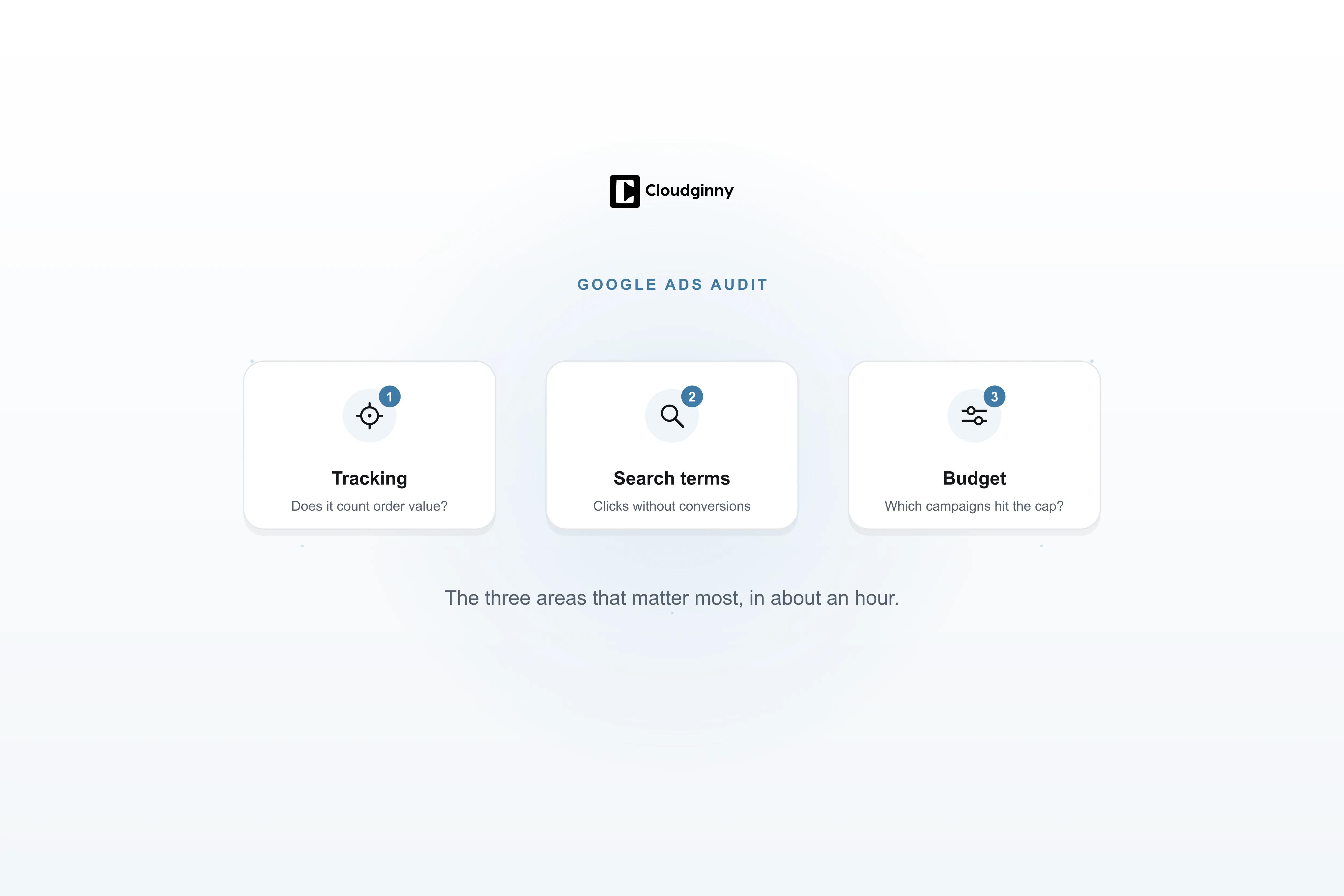
Search for "Google Ads audit" and what you mostly get is offers: agencies that will examine your account for free, and a contract at the end. That does not answer the question underneath: what is actually being checked, how much of it can I do myself, and what does the rest cost? This article walks through the nine areas of an audit, says for each one where the money typically leaks, and attaches a checklist you can tick off.
Ryze AI is the cheaper multichannel autopilot: $89 flat for Google, Meta, TikTok and LinkedIn. Cloudginny is a Google Ads specialist with a German company behind it, Merchant Center depth and an approval model. This comparison puts prices, channels and control side by side, and says plainly where Ryze wins.
Search for Google Ads management software and you land on Optmyzr, Adalysis or Opteo. They are good tools, just built for somebody who already knows Google Ads: a marketer who writes rules and knows what to do with forty improvement suggestions. Most online shops do not have that person. This article explains what the classic platforms actually do, what an AI agent does differently, which model fits when, and what neither of them can do.